
What to Do if Self-Check-In Fails: Solutions and Prevention for Hosts
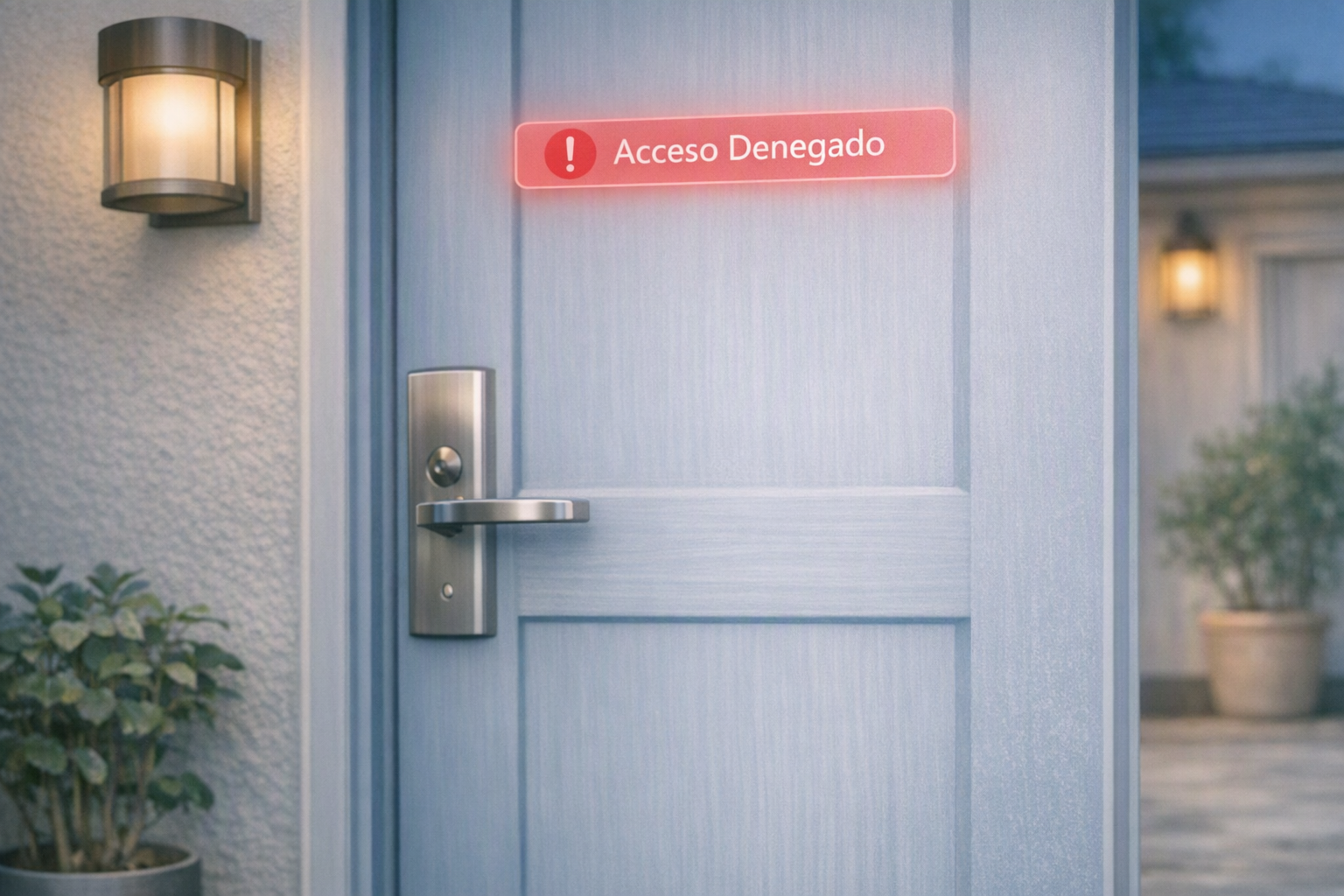
Imagine the scene: it is two o'clock in the morning, it is raining heavily, and your guests have just arrived from a ten-hour flight. They are tired, laden with luggage, and all they want to do is lie down in the bed of your holiday rental. However, when they try to enter the code into the smart lock or open the key safe, the system does not respond. The self-check-in has failed. A wave of exhaustion, frustration, and worry washes over them as they realize they are locked out of their much-anticipated accommodation.
At that moment, panic sets in for both the traveller and you, the property owner or manager. This isn't just an inconvenience; it's one of the most dreaded scenarios in holiday rental management, a direct threat to your guest's experience and your carefully built reputation. A self-check-in failure can quickly escalate from a minor hiccup into a full-blown crisis, potentially leading to a one-star review, a demand for a refund, or even a public complaint that damages your brand. However, an access failure does not have to become a catastrophe or inevitably result in a negative review. With the right preparation, a solid emergency protocol, and the correct technological tools, you can resolve the issue in a matter of minutes and guarantee an excellent experience, turning a potential disaster into an opportunity to showcase your exceptional customer service.
In this comprehensive guide, we will analyse in detail why remote access systems fail, how to act immediately when an incident occurs, and how to implement a foolproof prevention system based on smart locks and automation. We'll explore the common pitfalls, delve into advanced solutions, and provide actionable strategies to ensure your guests always have a seamless and stress-free arrival, no matter the time of day or the weather conditions. Our goal is to equip you with the knowledge and tools to not only prevent self-check-in failures but also to manage them with professionalism and efficiency when they do occur, safeguarding your business and enhancing your guests' satisfaction.
Understanding the Root Causes: Why Self-Check-in Fails and How to Identify Weaknesses
To solve a problem effectively, we must first understand its roots. Keyless entry systems, while revolutionary for convenience and security in holiday rentals, are intricate technologies. Like any sophisticated system, they are not immune to failure. Identifying the weak points of your self-check-in system will allow you to anticipate errors and implement robust preventative measures, ensuring a smoother experience for your guests and fewer headaches for you, the host. Let's delve deeper into the most common causes of self-check-in failures.
1. Flat Batteries in Physical Devices: The Silent Saboteur of Access
This is, without a doubt, the number one cause of incidents and a prime example of why even the most advanced technology can be undone by something as simple as a depleted power source. Smart locks, keypads, and fobs run on batteries – typically AA, AAA, or custom lithium-ion packs. If the host does not keep a strict, proactive check on battery status, the device will simply power down, leaving the guest locked out of the property. This often happens at the most inconvenient times, such as late at night or during a busy check-in period.
- Types of Batteries: Some locks use standard alkaline batteries, which degrade over time, while others use rechargeable lithium batteries with a longer lifespan but still require monitoring. Understanding your specific lock's power source is crucial.
- Warning Signs: Most smart locks provide low-battery warnings through their companion apps or via audible/visual cues on the lock itself. Ignoring these warnings is a recipe for disaster.
- Environmental Factors: Extreme temperatures can affect battery life. Colder climates, in particular, can significantly reduce battery efficiency, making more frequent checks necessary during winter months.
- Usage Frequency: Locks on high-traffic properties will drain batteries faster than those on infrequently booked rentals. Your maintenance schedule should reflect this.
- Proactive Replacement: Don't wait for the low-battery warning. Implement a schedule to replace batteries preventatively every 6-12 months, or more frequently if usage is high, regardless of the reported level. This simple step can prevent the vast majority of smart lock issues related to power.
2. Loss of Internet Connection (Wi-Fi or Bluetooth): The Digital Disconnect
Many smart locks, particularly those offering advanced remote management features like real-time access logs and remote unlocking, require a constant internet connection via a Wi-Fi bridge or gateway to receive commands and sync data. If the accommodation's router restarts, there is a local power cut, the internet service provider experiences an outage, or the Wi-Fi signal fluctuates, the lock will lose its ability to communicate with the host's or the guest's app. This can lead to guests being unable to activate their digital key or receive updated access codes.
- Wi-Fi vs. Bluetooth: While some locks use Bluetooth for local communication (e.g., guest's phone directly to the lock), many rely on Wi-Fi for remote operation. A Wi-Fi bridge connects the Bluetooth-enabled lock to your home network, allowing you to manage it from anywhere. If this bridge loses connection, remote access is compromised.
- Router Issues: A simple router reboot or a firmware update can temporarily disrupt the connection. Ensure your router is reliable and ideally placed close to the lock's bridge.
- Power Cuts: Even brief power outages can knock out your Wi-Fi router and, consequently, your smart lock's internet connection. While some locks have offline capabilities, remote control will be impossible during an outage.
- Guest's Mobile Data/Wi-Fi: If your system relies on the guest's smartphone app and they are an international traveller without a local SIM card or data plan, or if they arrive in an area with poor signal, they might struggle to download the app or connect to your property's Wi-Fi if it's needed for initial setup.
- Signal Interference: Thick walls, other electronic devices, or even neighboring Wi-Fi networks can interfere with your lock's signal strength, leading to intermittent connectivity issues.
3. Confusing or Outdated Access Instructions: The Human Element of Failure
Often, the failure is not technical, but human. Even the most advanced smart lock is useless if the guest cannot understand how to operate it. If the arrival instructions are an endless block of text, lack explanatory images, contain obsolete details (such as an old code for the apartment block or incorrect directions), or are sent too late, the guest will get frustrated, make mistakes when trying to enter, and feel abandoned. This is a common cause of guest entry problems.
- Information Overload: Bombarding guests with too much information at once can be overwhelming. Break down instructions into digestible, logical steps.
- Lack of Visuals: Text-only instructions are difficult to follow, especially for visual learners or non-native speakers. High-quality photos or even short video clips demonstrating each step (e.g., finding the building, locating the lock, entering the code) are invaluable.
- Obsolete Details: Property codes, Wi-Fi passwords, or even the appearance of the entrance can change. Regularly review and update your instructions to ensure they are always current.
- Language Barriers: If you host international guests, consider providing instructions in multiple languages or using universally understandable visuals.
- Poor Formatting: Long paragraphs, small fonts, or lack of bolding for key information make instructions hard to read on a mobile device, which is where most guests will access them.
4. Technical Issues on the Guest's Smartphone: The Unpredictable Variable
If your access system relies on the guest downloading a specific mobile app or enabling Bluetooth on their phone, you are exposed to multiple variables beyond your control. This introduces a layer of unpredictability that can lead to significant holiday rental access issues.
- Battery Depletion: The guest's phone may have run out of battery during the journey, especially after long flights or navigating unfamiliar cities.
- App Compatibility: Their operating system (iOS or Android) might not be compatible with the latest version of the access app, or they might have an older phone that struggles to run it.
- Lack of Mobile Data/Wi-Fi: As mentioned, international travellers might lack mobile data, preventing them from downloading the app or receiving necessary updates. Even domestic travellers might encounter dead zones.
- User Error: Guests might simply forget to enable Bluetooth, fail to grant necessary app permissions, or struggle with the app interface itself.
- Device Malfunctions: Phones can freeze, crash, or experience unexpected issues, making app-based access impossible.
5. Mechanical Door or Lock Failures: The Physical Obstruction
While smart locks are technologically advanced, they still interact with physical components: the door, the frame, and the existing lock mechanism. External doors expand and contract due to changes in temperature and humidity, especially in areas with significant seasonal shifts. If the door is not perfectly aligned, if hinges are loose, or if the door frame has shifted, the smart lock motor may encounter too much resistance when trying to retract the latch or deadbolt, causing a mechanical locking error. This can be a persistent source of keyless entry failures.
- Door Alignment: A misaligned door can prevent the bolt from extending or retracting smoothly. Regular checks of door alignment and hinge tightness are crucial.
- Weather Effects: Humidity can cause wooden doors to swell, making them stick. Dry conditions can cause doors to shrink, creating gaps. These changes directly impact how easily a lock operates.
- Worn Components: Over time, the internal mechanisms of traditional locks (which smart locks often overlay or integrate with) can wear out, making them stiff or prone to jamming.
- Obstructions: Sometimes, something as simple as a small pebble, debris, or a loose screw can obstruct the latch or bolt, preventing proper operation.
- Installation Errors: Incorrect installation of the smart lock itself can lead to mechanical strain, causing the motor to work harder and potentially fail prematurely.
6. Time Zone Confusion and Incorrect Code Generation: A Synchronization Nightmare
In our increasingly globalized world, guests often travel across multiple time zones. If your property management system (PMS) or smart lock integration isn't perfectly synchronized with the correct local time zone, or if the guest misinterprets the check-in time based on their departure time zone, it can lead to significant confusion and incorrect code generation. For example, a code generated for 3 PM local time might be interpreted as 3 PM in the guest's home country, causing them to try accessing the property too early or too late.
- PMS Time Zone Settings: Ensure your PMS and smart lock software are configured to the correct time zone of your property. Any discrepancy can lead to codes being active at the wrong times.
- Guest Communication: Always specify check-in and check-out times in local time (e.g., "Check-in is at 3:00 PM local time in [City Name]") to avoid ambiguity.
- Code Generation Logic: Some systems might generate codes based on UTC (Coordinated Universal Time) and then convert them, which can introduce errors if not handled correctly. Verify your system's logic.
7. Booking Platform Synchronization Errors: The Broken Link in the Chain
Many hosts manage their properties across multiple online travel agencies (OTAs) like Airbnb, Booking.com, and Expedia. While property management systems (PMS) like Macufy are designed to centralize these bookings and automate code generation, occasional synchronization errors can occur. If a booking modification (e.g., a change in check-in date or time) isn't correctly communicated from the OTA to your PMS and then to your smart lock system, the guest might receive an outdated or invalid code. This is a common source of self-check-in issues that can be hard to diagnose.
- API Integration Issues: The connection between your PMS and the smart lock's API might experience temporary glitches, preventing new codes from being pushed or existing ones from being updated.
- Manual Overrides: If you manually generate codes outside of your integrated system, there's a risk of human error or a lack of synchronization with other booking changes.
- Delayed Updates: Some integrations might have slight delays in updating booking information, meaning a code is generated before a last-minute change is fully processed.
8. Guest Not Receiving or Deleting the Code: The Communication Black Hole
You've done everything right: the code is generated, the instructions are clear, and the smart lock is fully charged. But what if the guest simply doesn't receive the email or SMS containing the code, or accidentally deletes it? This can be due to various reasons, from spam filters to guest inattentiveness, leading to a frustrating lockout situation.
- Spam Filters: Automated emails with codes can sometimes end up in spam or junk folders, especially if the guest's email provider is strict.
- Incorrect Contact Information: Guests might provide an outdated or incorrect email address or phone number during booking, preventing them from receiving critical information.
- Information Overload (again): If the access code is buried deep within a long email filled with other information, guests might overlook it or struggle to find it quickly upon arrival.
- Accidental Deletion: In the flurry of travel, guests might accidentally delete important messages.
- Lack of Multiple Channels: Relying on a single communication channel (e.g., email only) increases the risk of the message not being received.
Emergency Protocol: What to Do When the Guest is Locked Out and Every Second Counts
When you receive that emergency call or message telling you that the guest cannot get in, every second counts. This is the moment your preparation truly pays off. You must act quickly, with empathy and professionalism, to de-escalate the situation and resolve the guest entry problem. A swift, positive resolution can transform a potential one-star review into a five-star commendation for your excellent service under pressure. Follow this step-by-step protocol to resolve the situation successfully:
Step 1: Stay Calm and Empathise with the Guest – The Foundation of Crisis Management
The guest is probably frustrated, tired, anxious, and possibly even angry. They've just travelled, are in an unfamiliar place, and now face an unexpected obstacle. The worst thing you can do is get defensive, blame them for not understanding the instructions, or sound flustered yourself. Your calm demeanor is infectious and can help de-escalate their anxiety. Listen carefully to their description of the problem, keep a calm and reassuring tone of voice, and immediately express empathy. Reassure them by promising that you will solve the problem immediately and guide them through the next steps. Phrases like, "I understand how frustrating this must be after a long journey, but please don't worry, we will get you in right away" can make a huge difference. The quality of your customer service in times of crisis can not only save your reputation but also build immense guest loyalty.
Step 2: Attempt Immediate Remote Opening – Your First Line of Digital Defense
If your smart lock is connected to the internet via a bridge or gateway, your first course of action should be to attempt a remote opening. Open the manufacturer's app on your mobile phone or access your PMS dashboard and try to send a remote open command. This is often the quickest solution if the issue is a guest error (e.g., incorrect code entry, forgetting a step) or a temporary communication glitch between the lock and its local keypad. In a significant percentage of cases involving local misconfiguration or guest code errors, remote opening solves the problem instantly, getting your guests indoors within seconds. Ensure you have the app readily accessible and are familiar with its remote unlocking features.
Step 3: Activate the Physical Backup Plan (Plan B) – The Unfailingly Reliable Solution
Never, ever rely solely on a single technological system for your business's security and guest access. Technology can fail, and when it does, you need a robust, independent backup. You should always have a secondary, physical access method that does not depend on power, internet, or a smartphone. This is your ultimate safety net for any self-check-in failure.
- A Key Safe with a Physical Key (Lockbox): Hidden in a discreet, secure area of the property or nearby, with a mechanical combination lock that does not rely on the internet or batteries. This is the most common and often most reliable Plan B. The key safe should be robust, weather-resistant, and its location and code should be clearly communicated as part of your emergency instructions. Ensure the code for the lockbox is different from any smart lock codes and is changed regularly.
- An Offline Keypad: If your smart lock system offers an offline mode where codes are generated and validated directly on the lock's chip without needing a constant internet connection, this can serve as a highly effective backup. Even if the remote app fails, a physical PIN code entered directly into the lock usually works locally.
- Smart Key Cards/Fobs: Some systems offer RFID key cards or fobs that can be pre-programmed and left in a secure location (e.g., inside a key safe) for guests to use if digital access fails. These often work independently of Wi-Fi once programmed.
- Neighbor/Local Contact: While not a direct access method, having a trusted neighbor or local contact with a physical key can be a last resort. This should be a person who is reliably available and has clear instructions on how to assist.
Step 4: Use Your Local Support Network – The Human Touch in a Crisis
If technology fails completely and there is no way to open the door remotely or with the backup plan, you must have a local emergency contact who can physically go to the property to assist. This could be a co-host, a trusted neighbour, a member of your cleaning or maintenance team, or a 24/7 on-call locksmith service. The key is to have a network of reliable individuals who are aware of their role in your emergency protocol and have access to a physical key. Make sure you have these numbers saved on your speed dial and that they are aware of your property's location and potential access issues. Provide them with clear instructions on how to handle a lockout situation, including where to find the physical key and how to communicate with the guest. Their quick response can save the day and prevent a negative review.
Step 5: Offer Alternative Solutions and Compensation – Turning a Negative into a Positive
In extremely rare cases where immediate access is impossible (e.g., a major mechanical failure requiring a locksmith, and no local contact available), you must be prepared to offer alternative accommodation. This could mean booking a nearby hotel for the night at your expense. While this is a significant cost, it's far better than leaving guests stranded and facing the reputational damage and potential legal issues that could arise. Offering a partial refund, a discount on a future stay, or a small gesture (like a gift basket) as an apology for the inconvenience, even after the issue is resolved, can go a long way in salvaging the guest experience and securing a positive review. This demonstrates genuine care and professionalism, reinforcing your commitment to guest satisfaction despite the smart lock problems.
The Ultimate Solution: Smart Locks with Temporary Codes for Seamless Access
To virtually eliminate access incidents and elevate your guest experience, the best investment you can make is to replace archaic physical keys and traditional key safes with a smart lock that works via temporary codes. This technology represents a significant leap forward in convenience, security, and operational efficiency for holiday rental managers. Unlike systems that require guests to download a specific mobile app or rely heavily on their smartphone's battery and data plan, locks with a physical keypad offer the smoothest, most friction-free check-in experience on the market. The guest only needs to memorise or check a simple 4-to-6-digit number to enter, making it incredibly intuitive and accessible for everyone.
How Do Temporary Codes Work? The Magic Behind the Security
Modern smart locks, especially those designed for the hospitality sector, leverage sophisticated encryption algorithms similar to those used in online banking (often referred to as OTP technology, or one-time passwords, though these codes can be multi-use within a defined period). This allows for the generation of unique numerical codes that are only valid during the exact dates and times of the guest's booking. The code activates precisely at check-in time and automatically deactivates at check-out time. Once the guest checks out, the code is automatically rendered invalid, ensuring the property's security for future guests and eliminating the risk of unauthorized re-entry. This dynamic code generation and expiry system is a cornerstone of robust automated check-in.
- Algorithm-Based Generation: Codes are often generated using a time-based or event-based algorithm, meaning the lock itself can validate the code against its internal clock or a pre-programmed sequence, even without a constant internet connection.
- Integration with PMS: When integrated with a Property Management System (PMS) like Macufy, these codes are automatically generated and assigned to each booking, then sent directly to the guest without any manual intervention from the host.
- Audit Trails: Most smart locks with temporary codes offer an audit trail, allowing you to see exactly when and by whom the door was opened, providing an additional layer of security and accountability.
Advantages of Keypad Locks Over Other Systems: Superiority in Simplicity and Security
The benefits of adopting keypad-based smart locks are manifold, addressing many of the common self-check-in failures we've discussed:
- Guest's Technological Independence: This is perhaps the most significant advantage. It does not matter if the guest does not have a smartphone, has run out of battery, has no internet connection, or struggles with apps. The physical door keypad will always work locally, provided the lock has power. This significantly reduces potential points of failure related to guest devices.
- Offline Operation Capabilities: Many advanced smart locks can generate and validate temporary codes without needing to be constantly connected to the Wi-Fi network at that exact moment. The underlying algorithm is programmed internally in the lock's chip, allowing it to verify codes even during internet outages. This provides exceptional resilience against connectivity issues.
- Enhanced Security and Control: The risk of physical key copying is entirely eliminated, as there are no physical keys to hand over. Furthermore, the common vandalism and security vulnerabilities suffered by traditional key safes (lockboxes) anchored on public streets are avoided. Each guest receives a unique, time-limited code, enhancing security and providing a clear audit trail.
- Streamlined Operations: Hosts no longer need to coordinate key handovers, manage multiple sets of physical keys, or worry about lost keys. The entire access process is automated, saving immense time and operational costs.
- Positive Guest Experience: Guests appreciate the independence and flexibility of arriving at their leisure, without the pressure of meeting someone at a specific time. This convenience often translates directly into higher satisfaction and better reviews.
Communication Automation: The Secret to Avoiding Misunderstandings and Enhancing Guest Satisfaction
A large proportion of self-check-in failures are not technical but communicative. If you send access instructions too late, through the wrong channel, or in an unclear, unstructured manner, problems are highly likely to arise upon arrival. Guests, especially after a long journey, need clear, concise, and timely information. The key to solving this problem at its root is smart automation. By using advanced communication management tools, you ensure that every guest receives exactly the information they need, at the precise moment they need it, drastically reducing confusion and anxiety.
The Perfect Timing for Sending Instructions: A Phased Approach
Do not overwhelm the guest with all access details at the time of booking, which could be months in advance. Information overload can lead to guests forgetting critical details or having to search through old emails upon arrival. The ideal communication flow follows a phased timeline, providing information incrementally and strategically:
- Booking Confirmation (Immediately after booking): Send a general welcome message. This message should confirm their booking, express excitement for their stay, and briefly mention that the property features self-check-in. Crucially, it should state that detailed access instructions will be sent a few days before arrival. This manages expectations and prevents guests from getting anxious about not having the code immediately.
- 3 Days Before Arrival (The Detailed Guide): This is the most crucial communication. Send the bulk of the access instructions. This package should include:
- The exact location of the property with a direct, clickable link to Google Maps and Apple Maps.
- High-quality, step-by-step photos of the building entrance, the specific door of the property, and the smart lock/keypad itself.
- A link to complete any mandatory guest registration (e.g., identity verification, rental agreement signing).
- General information about parking, Wi-Fi password (if applicable for general use, not required for lock operation), and essential contact numbers for emergencies.
- The Day of Arrival (in the Morning – The Final Reminder): Send a quick, concise reminder containing exclusively the temporary access code and the confirmed check-in time. This ensures the most critical piece of information is at the top of their inbox or message thread, easily accessible just before they arrive. Avoid adding too much additional information here; keep it focused on access.
To ensure this flow is strictly followed without manual errors, it is essential to have an automated guest messaging system. This feature, available through platforms like Macufy, allows you to schedule personalised templates that are sent via email, SMS, or messaging channels (like WhatsApp, if integrated) just in time, drastically reducing last-minute queries, traveller anxiety, and the likelihood of guest entry problems.
How to Structure a Foolproof Arrival Guide: Clarity is King
An excellent arrival guide should be visual, concise, and extremely easy to read and navigate from a mobile phone. Avoid long, dense paragraphs and instead use a structured, bullet-point, and visual format. Think of it as a mini-manual for seamless entry:
- Exact Location Details: Provide a direct, clickable link to Google Maps and Apple Maps for precise navigation. Supplement this with visual directions using nearby landmarks (e.g., "The building is next to the large green park" or "Look for the blue door"). Include the full address, apartment number, and any specific floor details.
- Step-by-Step Real Photos: This is non-negotiable. Include a high-quality photograph of the building's main entrance, the keypad or smart lock on your specific apartment door, and even photos of the path from the street to the entrance if it's not straightforward. Label each photo clearly (e.g., "Photo 1: Main building entrance," "Photo 2: Your apartment door").
- Clear Lock Usage Instructions: Explain how to activate the keypad in an extremely simple, step-by-step way. Use bold text for actions. For example: "Step 1: Tap the screen first to turn on the lights. Step 2: Enter your 4-digit code: [YOUR CODE]. Step 3: Press the hash key # at the end to confirm. The door will then unlock." Anticipate common guest questions and address them directly.
- Troubleshooting Tips: Include a small section on what to do if the code doesn't work immediately (e.g., "Try re-entering the code slowly," "Check if the lock is awake").
- Emergency Contact Information: Provide a clear, easy-to-find emergency phone number for immediate assistance if they still cannot get in.
- Check-out Instructions: Explain how to lock the door when leaving to ensure the property remains secure. Include any specific instructions for trash disposal or key return (if applicable for a physical backup).
- Wi-Fi Details: Clearly state the Wi-Fi network name and password, separate from the access instructions but easily locatable.
- Video Tutorials (Optional but Recommended): For complex access systems or multi-door entry, a short 30-60 second video tutorial can be incredibly effective.
Implementing a Secure and Automated Check-in System: Beyond the Door
Physical access to the property is only one part of the guest arrival process. For self-check-in to be truly successful, legally compliant, and genuinely stress-free for both you and your guests, it must be integrated into a global digital hospitality strategy. This means addressing not just how guests get in, but also how their identities are verified and legal requirements are met, all while maintaining a seamless experience.
Navigating Legal Compliance: The Importance of Digital Guest Registration
In many countries and regions, legislation requires all adult guests to complete an official traveller registration and sign an entry form before accessing the accommodation. This typically involves collecting personal data, identity document details (passport or ID card), and sometimes even submitting this data to local police or tourism authorities within a specific timeframe (e.g., 24 hours of check-in). If you allow guests into the property without correctly completing this step, you expose yourself to severe fines, legal repercussions, and potential security risks. Manual collection of this information is time-consuming, prone to errors, and can be inconvenient for guests.
The Digital Solution: Automated Check-in Platforms
The solution to this legal and operational challenge is to digitalize the entire process through a specialized platform. By implementing a module of automated check-in, you can transform a cumbersome administrative task into a smooth, integrated part of the guest journey. This type of system typically offers:
- Guest Identity Verification: Guests can easily scan their ID card or passport using their smartphone camera. The system then extracts the necessary data, verifies its authenticity (often using AI-powered OCR technology), and securely stores it.
- Digital Rental Agreement Signing: The platform can present the rental agreement digitally, allowing guests to review and sign it electronically before arrival. This ensures all parties are aware of the terms and conditions without physical paperwork.
- Automatic Data Submission to Authorities: Crucially, once the guest completes their registration, the system can automatically send the required data to the relevant police authorities or tourism boards (e.g., Guardia Civil, Mossos d'Esquadra, Policia Nacional in Spain, or local tourist offices). This ensures legal compliance without any manual data entry on your part.
- Seamless Integration with Access: The most powerful aspect of this integrated approach is that the software can be configured to automatically release the temporary access code for the smart lock only after the system verifies that the guest has correctly completed all legal registration steps. This creates a 100% secure, efficient workflow with no manual intervention on your part, allowing you to scale your holiday rental business with complete peace of mind, knowing that both access and compliance are handled automatically.
This holistic approach to self-check-in not only prevents access issues but also streamlines your entire operation, reduces administrative burden, and ensures you meet all legal obligations, all while providing a modern, professional experience for your guests.
The Best Smart Locks for Holiday Rentals: Choosing Your Keyless Partner
If you are determined to upgrade your property's access system and mitigate self-check-in failures, it is crucial to choose a lock designed specifically for the rigorous demands of the hospitality sector. Consumer-grade smart locks might suffice for personal homes, but holiday rentals require robust, reliable, and easily manageable solutions. Here are some of the brands most highly recommended by industry professionals, along with considerations for making the right choice:
1. Nuki Smart Lock (with Keypad): European Leader in Retrofit Solutions
Nuki is one of the leading smart lock brands in Europe, known for its innovative retrofit design. Its great advantage is that it is installed over the existing cylinder on the inside of the door, so it does not alter the external aesthetics of the communal door or require complex installation. This makes it ideal for properties where drilling or modifying the door is not permitted or desired. By combining it with the Nuki Keypad (a physical numeric keypad stuck to the outside of the door frame or door), you can offer access via temporary codes very easily. Nuki also offers a Bridge for Wi-Fi connectivity and remote management, and its app is user-friendly for both hosts and guests.
- Pros: Easy installation (no drilling), preserves door aesthetics, robust ecosystem with keypad and bridge, good battery life, strong security.
- Cons: Requires existing cylinder, keypad is an add-on, higher initial cost for the full setup.
- Ideal for: Apartments in multi-unit buildings, historical properties, anyone wanting a non-invasive solution.
2. Yale Linus® Smart Lock: A Legacy of Security Meets Modern Tech
Yale is a historical giant in locksmithing, a name synonymous with security, that has successfully adapted to the digital era. The Yale Linus® lock offers exceptional robustness and an elegant design that blends well with most door styles. Like Nuki, it is a retrofit solution that mounts on the inside of your existing door lock. It also has an accessory numeric keypad (Yale Smart Keypad) that allows for PIN code entry, and it integrates perfectly with the main property management systems (PMS) on the market, ensuring seamless automated check-in. Its reliability and brand reputation make it a strong contender.
- Pros: Trusted brand, robust build quality, elegant design, easy retrofit installation, strong integration capabilities.
- Cons: Keypad is a separate accessory, can be pricier than some alternatives.
- Ideal for: Hosts prioritizing brand reliability and security, properties with a more traditional aesthetic.
3. Tedee PRO: The Smallest and Most Powerful Smart Lock
Tedee PRO stands out as one of the smallest and quietest smart locks on the market, offering a sleek, minimalist design that appeals to modern aesthetics. Despite its compact size, it features a long-lasting rechargeable battery and an extremely powerful motor capable of operating high-security multi-point locks without difficulty. It also offers a keypad accessory for PIN code access. Tedee is often praised for its engineering and smooth operation, making it a premium choice for those seeking top-tier performance and discreet integration.
- Pros: Compact and quiet, powerful motor, long-lasting rechargeable battery, premium design.
- Cons: Higher price point, requires specific cylinder type for optimal performance.
- Ideal for: Luxury rentals, design-conscious hosts, properties with heavy or multi-point locking systems.
4. Electronic Smart Rim Locks (e.g., TTLock or Tuya-compatible systems): All-in-One Solutions
If you have the option to completely replace the door handle or latch mechanism, integrated electronic smart rim locks (often found under brands like TTLock, Tuya-compatible systems, or various OEM manufacturers) are an extraordinarily robust and economical option. These locks are typically all-in-one units that include a numeric keypad, an RFID card reader, and sometimes even a fingerprint scanner directly on the exterior handle. They usually work with highly stable offline code-generation technologies, meaning codes are validated directly by the lock's internal chip, making them highly resilient against internet outages and thus minimizing smart lock problems.
- Pros: All-in-one solution (keypad, card, fingerprint), highly affordable, robust offline operation, often easy to install as a full replacement.
- Cons: Requires full door modification/replacement of existing handle, aesthetics might not suit all properties, brand support can vary.
- Ideal for: New builds, properties where full lock replacement is feasible, budget-conscious hosts, properties prioritizing multi-access options.
Key Considerations When Choosing a Smart Lock for Your Rental:
- Installation Type: Do you need a retrofit (over existing lock) or a full replacement?
- Connectivity: Wi-Fi, Bluetooth, Zigbee? How does it integrate with your PMS?
- Battery Life & Type: How long do batteries last? Are they easily replaceable or rechargeable?
- Access Methods: Keypad codes, app, RFID cards, fingerprint, physical key backup?
- Security Features: Encryption, audit trails, anti-tamper alarms.
- Integration with PMS: Crucial for automated code generation and management. Ensure compatibility with Macufy or your chosen system.
- Durability & Weather Resistance: Especially important for exterior doors.
- Customer Support: Reliable support from the manufacturer is invaluable when troubleshooting.
Preventive Maintenance Checklist for Hosts: Ensuring Flawless Operation Year-Round
To ensure your self-check-in system runs like clockwork throughout the year and to proactively prevent self-check-in failures, implementing a simple yet rigorous preventive maintenance checklist is absolutely essential. This proactive approach saves time, money, and most importantly, protects your guests' experience and your reputation. Don't wait for an issue to arise; anticipate and mitigate.
- Monthly: Check Battery Levels Religiously
- Action: Use the manufacturer's mobile app to check the battery level of all smart locks and associated access devices (keypads, bridges).
- Threshold: Replace the batteries immediately if they fall below 20-25%. Don't wait for them to die completely, as performance can degrade before full depletion, and cold weather can accelerate drainage.
- Tip: Keep a stock of the correct battery types readily available. Consider using high-quality, long-lasting alkaline or lithium batteries, or rechargeable batteries if your lock supports them.
- Quarterly: Lubricate Physical Mechanisms and Inspect Door Hardware
- Action: Apply a small amount of graphite lubricant or a silicone-based spray (avoid oil-based lubricants that can attract dirt) to the physical mechanisms of the lock cylinder, the latch, and the deadbolt.
- Purpose: This prevents unnecessary friction, wear and tear, and stiffness that could strain the smart lock motor or prevent smooth operation.
- Inspection: While lubricating, inspect the door hinges for tightness and alignment. Check the door frame for any signs of warping or shifting. Ensure the strike plate is correctly aligned with the latch and deadbolt. A misaligned door or sticky latch is a common cause of mechanical lock failures.
- Bi-annually: Update Backup Key Safe Codes and Review Physical Access
- Action: Change the physical code of your backup key safe (lockbox) at least twice a year.
- Purpose: This maintains security and prevents former guests, service staff whose contracts have ended, or anyone who might have learned the code from having permanent unauthorized access.
- Review: Physically inspect the key safe for damage, tampering, or signs of wear. Ensure it is still securely mounted in a discreet location.
- Annually: Comprehensive System Review (Wi-Fi, Firmware, Software)
- Action: Review the configuration and performance of the accommodation's Wi-Fi router.
- Wi-Fi Check: Ensure the router is placed optimally for signal strength near the smart lock's bridge. Consider a Wi-Fi extender if the signal is weak. Test the internet speed and stability.
- Firmware Updates: Check that the smart lock firmware is updated to the latest available version. Manufacturers frequently release updates that improve security, add features, and fix bugs.
- PMS Integration: Verify that your smart lock system is still seamlessly integrated with your property management system (like Macufy) and that automated code generation and messaging are functioning correctly. Conduct a test booking if possible.
- Instructions Review: Re-read your guest arrival instructions from the perspective of a first-time guest. Are they still clear, accurate, and up-to-date? Update photos if anything has changed.
- Regularly: Monitor Guest Feedback and Audit Logs
- Action: Pay close attention to any guest comments related to check-in or access. Are there recurring questions or complaints?
- Audit Logs: Regularly review the audit logs provided by your smart lock system. These can reveal patterns of failed access attempts, indicating potential issues with codes, instructions, or the lock itself.
- Periodic: Test Your Backup Systems
- Action: Every few months, conduct a mock lockout drill. Try to access the property using only your backup methods (e.g., the key safe).
- Purpose: This ensures your Plan B is genuinely functional and that you are familiar with its operation in a stress-free environment, so you're prepared if a real self-check-in failure occurs.
By diligently following this preventive maintenance checklist, you significantly reduce the likelihood of smart lock problems and self-check-in failures, ensuring a consistently smooth and secure experience for every guest, every time.
The Psychological Impact of Self-Check-in Failures: Why It Matters So Much
Beyond the immediate logistical headache, a failed self-check-in carries a significant psychological toll, impacting both the guest and the host. Understanding this emotional dimension is crucial for truly appreciating the importance of prevention and effective crisis management.
For the Guest: From Anticipation to Anxiety
- Loss of Control and Vulnerability: After a long journey, guests are often tired, disoriented, and craving comfort. Being locked out instantly strips away their sense of control and makes them feel vulnerable in an unfamiliar environment.
- Frustration and Anger: The anticipation of relaxing in their rental quickly turns to intense frustration. This can escalate to anger, especially if they feel ignored or if the host is unresponsive.
- Safety Concerns: Being stranded outside, especially late at night or in an unfamiliar area, can trigger genuine safety concerns and fear.
- Damaged First Impression: The check-in experience is the guest's very first impression of your property and your service. A negative first impression is incredibly difficult to overcome, tainting the entire stay regardless of how good the property itself is.
- Negative Reviews: These negative emotions directly translate into negative reviews, often highlighting the check-in ordeal as the primary reason for a low rating, even if the rest of the stay was perfect. This directly impacts your future bookings and reputation.
For the Host: Stress, Guilt, and Reputational Damage
- Anxiety and Stress: Receiving an emergency call from a locked-out guest, especially at an inconvenient hour, triggers immediate stress and anxiety for the host.
- Guilt and Responsibility: Hosts often feel a strong sense of responsibility and guilt when things go wrong, knowing their guest is in distress.
- Reputational Risk: Every lockout is a direct threat to the host's online reputation, which is paramount in the competitive holiday rental market. A single bad review can deter dozens of potential future bookings.
- Financial Implications: Beyond refunds or compensation, time spent troubleshooting and managing a crisis takes away from other aspects of the business, leading to indirect financial costs.
- Burnout: Frequent self-check-in failures and the associated crisis management can lead to host burnout, making the business less enjoyable and sustainable.
By focusing on preventing guest entry problems and having a robust emergency plan, hosts can mitigate these profound psychological impacts, ensuring a positive experience for everyone involved.
Beyond Smart Locks: The Role of a Comprehensive Property Management System (PMS) like Macufy
While smart locks are a crucial component of a successful self-check-in strategy, they are just one piece of a larger puzzle. To truly automate, optimize, and scale your holiday rental business, a comprehensive Property Management System (PMS) like Macufy is indispensable. A PMS acts as the central nervous system for your operations, integrating all aspects of booking, guest communication, access management, and legal compliance into one powerful platform.
How a PMS Elevates Your Self-Check-in Experience:
- Centralized Booking Management: Macufy allows you to manage all your bookings from various channels (Airbnb, Booking.com, direct bookings) in one unified calendar. This prevents double-bookings and ensures accurate reservation data, which is critical for generating correct access codes.
- Automated Guest Communication: As discussed, Macufy's automated guest messaging system ensures that personalized, timed messages (including access instructions and codes) are sent without manual intervention. This eliminates human error and guarantees guests receive timely information, drastically reducing the chances of communication-related self-check-in failures.
- Seamless Smart Lock Integration: Macufy integrates directly with leading smart lock brands, allowing for automatic generation and revocation of temporary access codes based on booking dates and times. This means no more manually creating or deleting codes, providing a highly secure and efficient system.
- Digital Guest Registration and Legal Compliance: Macufy's automated check-in module handles identity verification, digital rental agreement signing, and automated submission of guest data to police authorities. This ensures you meet all legal obligations effortlessly, creating a secure and compliant workflow that releases access codes only after all necessary steps are completed.
- Task Automation for Teams: Beyond guest access, a PMS can automate tasks for your cleaning and maintenance teams, scheduling cleanings based on check-out times and notifying staff of any reported issues.
- Performance Analytics: Gain insights into your booking performance, guest satisfaction, and operational efficiency, helping you make data-driven decisions to continuously improve your service and prevent future access issues.
By leveraging a comprehensive PMS like Macufy, you're not just installing a smart lock; you're building a robust, automated ecosystem that supports every facet of your holiday rental business, ensuring a superior experience for both you and your guests.
Common Mistakes Hosts Make with Self-Check-in (and How to Avoid Them)
Even with the best technology, hosts can inadvertently create issues that lead to self-check-in failures. Recognizing these common pitfalls is the first step toward avoiding them and ensuring a smooth guest experience.
- Over-Reliance on a Single System: Believing that one smart lock or one app is enough. *Solution:* Always have a physical backup key, a local contact, and redundant communication channels.
- Neglecting Battery Checks: Waiting for the low battery warning or for the lock to die completely. *Solution:* Implement a strict, proactive monthly battery check and replacement schedule.
- Vague or Overly Complex Instructions: Sending a wall of text or unclear directions without visuals. *Solution:* Create a concise, visual, step-by-step guide with photos, sent at optimal times through an automated system.
- Ignoring Time Zones: Forgetting to specify local time for check-in/out or having PMS/lock synchronization issues. *Solution:* Clearly state all times in local property time and ensure all systems are correctly configured for the property's time zone.
- Lack of an Emergency Plan: Not having a clear protocol or local contacts for lockouts. *Solution:* Develop a comprehensive, tested emergency protocol with multiple local contacts and alternative solutions.
- Poor Wi-Fi for Smart Lock Bridges: Placing the router too far from the lock or having an unreliable internet connection. *Solution:* Ensure robust, stable Wi-Fi connectivity for your smart lock's bridge, consider extenders, and perform annual router checks.
- Not Testing the System Regularly: Assuming everything works just because it's automated. *Solution:* Periodically test the entire self-check-in process (from booking to code activation) as if you were a guest.
- Inadequate Guest Registration: Allowing guests to access the property before completing legal ID verification and agreement signing. *Solution:* Integrate a digital guest registration system (like Macufy's automated check-in) that links access code release to compliance.
- Delayed Communication of Changes: Failing to update guests promptly if check-in times change or if there's a temporary issue with the lock. *Solution:* Use automated messaging to send immediate updates and be highly responsive to guest inquiries.
- Ignoring Guest Feedback: Dismissing comments about check-in difficulties as isolated incidents. *Solution:* Actively solicit and analyze guest feedback, looking for patterns that indicate systemic issues with your self-check-in process.
Future Trends in Self-Check-in Technology: What's Next for Seamless Access?
The evolution of self-check-in technology is relentless, driven by guest expectations for convenience and hosts' needs for efficiency and security. While temporary code smart locks are currently the gold standard for holiday rentals, the future promises even more sophisticated and integrated solutions to further minimize self-check-in failures.
- Biometric Access (Facial Recognition & Fingerprint): While already available in some high-end residential and hotel settings, biometric access is becoming more affordable and reliable. Imagine guests unlocking the door with a quick face scan or fingerprint. Challenges remain around privacy, data storage, and integration with dynamic booking schedules, but it's a technology to watch.
- AI-Powered Predictive Maintenance: Smart locks could leverage AI to predict battery depletion or mechanical failures *before* they occur, based on usage patterns, environmental data, and historical performance. This would allow for even more proactive maintenance, preventing issues before they impact guests.
- Hyper-Personalized & Context-Aware Access: Systems could become smarter, adapting access instructions based on guest origin, language preferences, and even real-time travel delays. If a guest's flight is delayed, the system could automatically extend their code validity or send updated instructions.
- Blockchain for Secure Credentialing: Blockchain technology could offer an ultra-secure and immutable way to manage digital keys and access credentials, enhancing trust and preventing unauthorized access or data breaches.
- Seamless Integration with Smart Home Ecosystems: Beyond just the door, future self-check-in could integrate deeply with the entire smart home. Upon check-in, the thermostat adjusts to preferred temperature, lights turn on, and welcome music plays, all triggered by the guest's entry, creating a truly immersive and personalized arrival experience.
- Virtual Concierge & Chatbot Support: AI-powered chatbots could provide instant, 24/7 support for self-check-in queries, guiding guests through instructions, troubleshooting minor issues, or escalating to human support when necessary, further reducing guest entry problems.
As these technologies mature, they will continue to enhance the self-check-in experience, making it even more reliable, secure, and personalized. Staying abreast of these trends will help hosts continue to offer cutting-edge service.
Conclusion: Turn an Access Issue into a 5-Star Review with Macufy
Self-check-in is a wonderful tool that grants enormous freedom to guests, allowing them to arrive at their convenience, and saves hosts countless hours of work and logistical headaches. However, delegating access entirely to technology requires responsibility, meticulous planning, and an impeccable backup strategy. The journey from traditional key handovers to automated, keyless entry is transformative, but it's not without its potential pitfalls, as we've thoroughly explored with the common causes of self-check-in failures.
When an access system fails, the difference between an angry guest demanding a refund and an understanding guest who values your excellent service lies squarely in your responsiveness and the clarity of your solutions. It's in these moments of crisis that your true professionalism shines through, turning a challenging situation into an opportunity to build trust and loyalty.
By proactively investing in smart locks based on temporary codes, automating step-by-step visual instructions through platforms like Macufy, ensuring robust internet connectivity, and always, always having a physical backup plan and a local support network, you will transform the arrival moment into a smooth, professional, and memorable experience. Integrating your smart locks with a comprehensive Property Management System like Macufy further elevates this, ensuring not only seamless access but also automated legal compliance and streamlined communication, all designed to prevent smart lock problems before they occur.
Do not wait for the first serious incident to occur in the early hours of the morning to take action. Analyse your holiday rental's access system today, identify potential weak points, automate your communication processes with Macufy's automated messaging, and ensure that every one of your guests enjoys a perfect arrival from the very first minute of their trip. Embrace the power of automation and smart technology to safeguard your business, enhance guest satisfaction, and ultimately, secure those coveted 5-star reviews.