
Synchronise Airbnb and Booking Reservations in One App: Channel Manager Guide and Comparison
The Challenge of Marketing Holiday Lets Across Multiple Channels Simultaneously
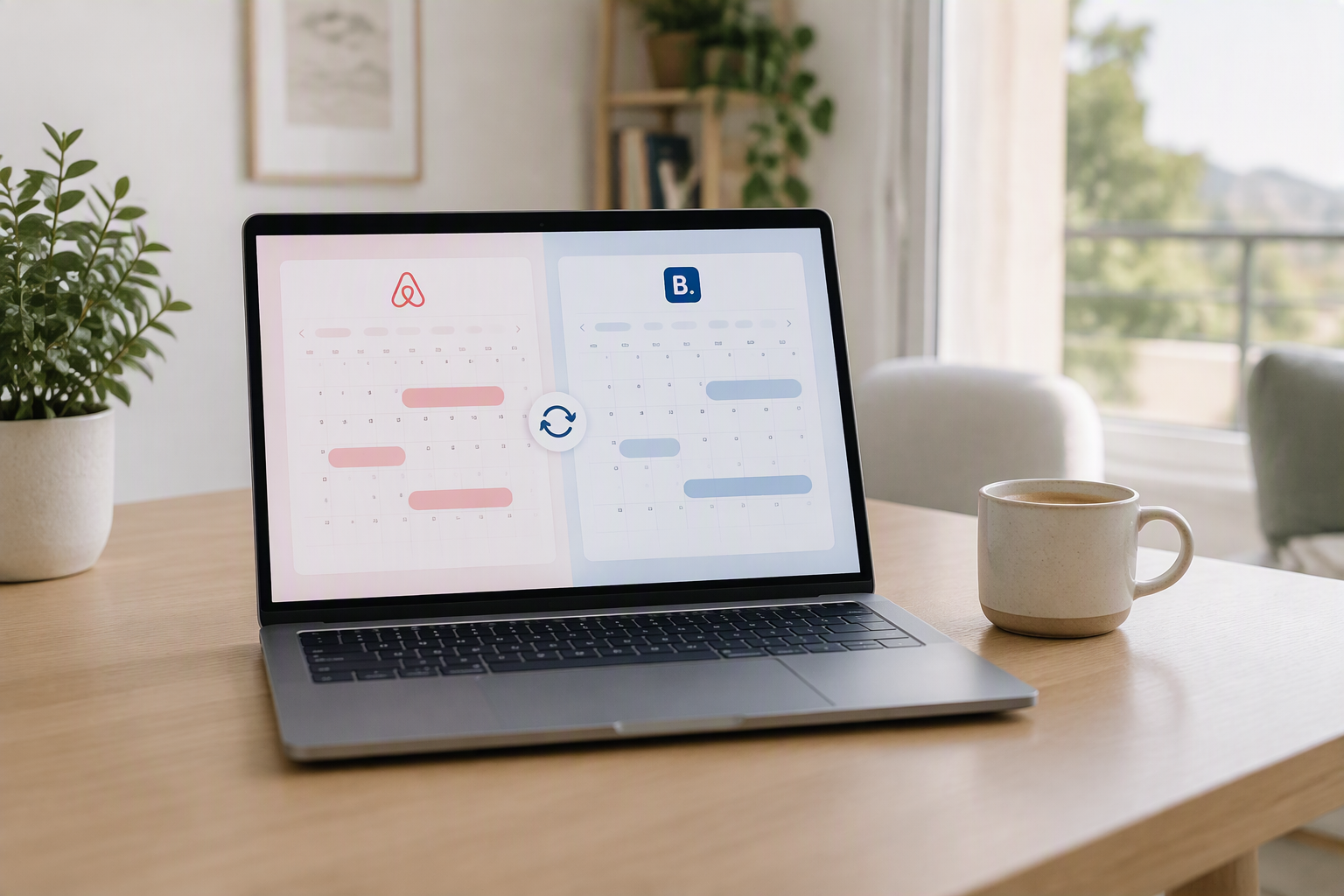
Managing a holiday let or a portfolio of serviced apartments demands visibility. Advertising your properties solely on Airbnb drastically restricts your booking potential; however, adding platforms such as Booking.com or Vrbo to the equation causes the administrative workload and technical complexity to increase exponentially. The primary hurdle faced by any host or professional property manager is not merely securing guests, but maintaining complete calendar consistency across every platform where the property is listed.
When a traveller confirms a stay for a specific weekend on Booking.com, those exact dates must be blocked out immediately on Airbnb. If this task is carried out manually, the risk of human error is immense. A delay of just a few minutes is all it takes for another guest to book the identical dates on a competing platform, triggering one of the most stressful operational crises a host can face: a double-booking.
The Nightmare of Double-Bookings and the True Cost to Your Business
The term double-booking, or overbooking, is far from a minor administrative hiccup; it deals a direct blow to your profitability, brand reputation, and algorithmic ranking across listing platforms. Major online travel agencies (OTAs) penalise hosts heavily for cancelling reservations caused by date clashes.
To appreciate the severity of this issue, it is worth examining the direct repercussions enforced by the platforms:
- Severe financial penalties: Platforms like Booking.com state in their terms that if you encounter an overbooking, you are obliged to rehouse the guest in accommodation of an equal or superior standard, absorbing any difference in price as well as resulting transport expenses. On Airbnb, host-initiated cancellations incur automatic fees ranging from $50 to over $1,000, depending on how close to arrival the cancellation occurs.
- Loss of status and organic visibility: A single cancellation on Airbnb can strip you of your Superhost status for months. Furthermore, the search algorithm downgrades your listing visibility, relegating your property to lower search result pages where booking traffic drops off drastically.
- Deterioration of online reputation: Negative reviews from guests left stranded by unforeseen cancellations are almost always scathing. In the hospitality sector, an average review score falling below 4.7 out of 5 severely damages the overall conversion rate of the property.
Synchronisation Methods: iCal vs Two-Way API Connection
When connecting multiple platforms, many novice hosts opt for the simplest and free option: exchanging calendar links via iCal. While this alternative appears practical on paper, it has critical structural shortcomings that you must consider before relying on it for your day-to-day operations.
The iCal format is a one-way, asynchronous synchronisation protocol. It works by periodically pulling updates from one platform's public calendar link to another. This means that when a reservation is confirmed on Booking.com, the iCal feed does not update instantly on Airbnb. The refresh cycle can take anywhere from 30 minutes to several hours???an ample window of time for an accidental double-booking to occur during peak demand periods.
In contrast, a two-way API connection (Channel Manager) establishes a real-time, bi-directional communication channel. Utilising webhooks and instantaneous API calls, the moment a booking is placed on any integrated platform, the software alerts central servers and immediately blocks those dates across all other linked channels. Moreover, unlike iCal, APIs allow you to synchronise dynamic rates, minimum stay rules, cancellation policies, and advance booking windows alongside basic availability.
What Exactly Is a Channel Manager and Why Does Your Property Need One?
A Channel Manager is a software solution engineered to centralise, manage, and distribute short-let accommodation inventory across multiple sales channels from a unified operational dashboard. Far from being a luxury reserved exclusively for hotel chains, it has become an indispensable asset for any holiday let operator seeking to run a scalable and profitable business.
How Instant Availability Updates Work
At the core of a professional Channel Manager lies a two-way distribution engine. When a customer confirms a reservation on an external channel, the system operates as follows:
- The originating OTA generates the reservation and dispatches an encrypted API notification to the Channel Manager.
- The system ingests the reservation, updates the centralised master calendar, and removes the available inventory for that specific unit or property.
- Simultaneously, the Channel Manager issues an instant lock command for those dates to all other connected platforms (Airbnb, Vrbo, Booking.com, etc.), completing the entire sequence in just two to three seconds.
This level of speed safeguards your inventory against overlapping bookings, affording you total operational peace of mind, even throughout peak seasons or sudden booking surges.
Centralising Rates, Restrictions, and Operational Policies
Calendar synchronisation accounts for only half of the management equation. Adjusting pricing manually across multiple booking engines is a frequent source of error. With a centralised Channel Manager, you can modify the nightly rate on a single screen and have that price reflected with absolute accuracy across all connected channels.
In addition, you can implement percentage-based rate mark-ups for specific channels (for instance, increasing Booking.com rates by 15% to offset commission structures) or establish uniform restrictions such as weekend minimum stays, gap-night rules, and turnover buffers for maintenance and cleaning.
Comprehensive Comparison: The Best Channel Managers on the Market Today
The market for holiday rental management software has expanded significantly in recent years. To help you select the ideal platform for your business, we have reviewed the leading solutions based on user-friendliness, technical stability, customer support, and overall value for money.
1. Macufy: Efficiency, Advanced Centralisation, and Comprehensive Operational Control
Macufy stands out as one of the most agile, modern, and complete solutions for hosts and holiday let managers seeking an all-in-one ecosystem without unnecessary complications. Its architecture excels by pairing a dependable distribution engine with practical features tailored to solve everyday hospitality headaches.
Through real-time booking synchronisation, Macufy connects your Airbnb, Booking.com, Vrbo, and other primary accounts smoothly and automatically. This not only eradicates the risk of double-bookings, but also brings all guest messaging, reservation details, and financial logs into a single, intuitive interface.
Among its greatest strengths are its uncluttered visual design, a remarkably gentle learning curve, and the inclusion of dedicated built-in tools crafted for regulatory compliance and on-the-ground day-to-day operations.
2. Guesty: The Alternative for Medium and Large Enterprises
Guesty is an established global platform, designed predominantly for property management firms operating dozens or hundreds of units. It provides two product tiers: Guesty Lite (for smaller hosts) and Guesty Pro (for expansive corporate portfolios).
- Strengths: Complex automation options, integrations with dozens of third-party platforms, comprehensive financial reporting, and an advanced CRM.
- Weaknesses: Considerably higher price structure compared to alternatives, steep learning curve, and slower technical support response times on entry-level plans.
3. Smoobu: Simplicity for Independent Hosts
Developed in Germany, Smoobu is tailored primarily towards private owners and small-scale hosts seeking an accessible solution without intricate technical overheads. Its interface is straightforward, and the initial setup is relatively fast.
- Strengths: Integrated basic website builder, unified inbox for guest messages, and transparent flat pricing based on property count.
- Weaknesses: The interface looks somewhat dated, it lacks advanced on-the-ground property operations tools, and support hours are largely limited to standard European office times.
4. Lodgify: Focused on Direct Bookings
Lodgify has earned its standing around custom website creation for holiday lets featuring a built-in booking engine, complemented by a Channel Manager powered by reliable API connections.
- Strengths: Modern website templates, integrated payment gateways, and clean layouts tailored to drive direct bookings.
- Weaknesses: Lower-tier plans include additional booking fees on direct reservations, initial channel mapping can prove fiddly, and operational automation tools are basic without third-party add-ons.
5. Hostaway: Power for Growth-Oriented Property Managers
Hostaway caters to scaling property management companies requiring premier direct API integrations and granular control over every channel setting.
- Strengths: Preferred partner status with key OTAs, flexible rate customisation, and robust analytics reporting.
- Weaknesses: Generally requires annual contracts, charges mandatory onboarding fees, and pricing can be prohibitive for operators with only one or two properties.
Feature and Performance Comparison Table
Here is an overview of the key technical criteria to evaluate before deciding on the right solution for your properties:
| Software | Synchronisation Type | Response Speed | Ease of Use | Ideal Target Audience |
|---|---|---|---|---|
| Macufy | Real-Time Two-Way API + iCal | Instant (< 3 secs) | Very high and intuitive | Individual hosts and professional property managers |
| Guesty | Full Two-Way API | Instant | Medium / Complex | Large Property Management companies |
| Smoobu | Basic Two-Way API + iCal | Fast | Medium | Private owners and small-scale hosts |
| Lodgify | Two-Way API | Fast | Medium | Properties focused on direct website bookings |
| Hostaway | Advanced Two-Way API | Instant | Medium / Technical | Growing managers with 10+ properties |
Step-by-Step: How to Unify Airbnb and Booking Calendars in Real Time
If you have decided to transition away from manual calendar updates and consolidate your bookings using dedicated software, careful onboarding is essential. Follow these steps to ensure a smooth transition with zero operational disruption.
Step 1: Preliminary Audit of Your Listings on Each Platform
Before connecting any external application, it is essential to check the existing status of your listings across both Airbnb and Booking.com:
- Ensure property names and unit configurations match precisely to prevent errors during inventory mapping.
- Check that there are no pending booking requests or payment disputes on either channel.
- Review your cancellation policies and minimum stay rules across both portals to identify which parameters will act as your master setup.
Step 2: Linking Accounts and Authorising Permissions
Log in to your Channel Manager and navigate to the distribution channels section. Here, you will complete the OAuth authorisation with Airbnb and connect the official Channel Manager integration inside the Booking.com extranet:
- Within Booking.com, head to Account > Channel Manager and select your provider. Confirm the connection terms to enable automated data transfer.
- Inside your Channel Manager, enter your official Booking.com Property ID to validate the integration request.
- On Airbnb, click the connect account option and securely authorise access to your host account.
Step 3: Precise Room Mapping and Rate Rules
Mapping is the process where you inform the system that "Property A" in your dashboard corresponds directly to "Sunny Seaside Apartment" on Airbnb and "Deluxe Apartment" on Booking.com.
Pay close attention to the following parameters at this stage:
- Maximum occupancy: Accurately set the permitted number of adults and children for the listing.
- Linked rate plans: Connect standard rates and non-refundable options with their exact equivalents on each channel.
- Turnover buffers: If you require a preparation day between back-to-back stays for thorough cleaning, ensure this rule is activated in your master settings.
Step 4: Stress Testing and Verifying Date Blocking
Once initial synchronisation is complete, never assume everything is running without testing it first. Create a manual test block on your central master calendar for two future dates.
Immediately open your public listings on Booking.com and Airbnb (ideally using a private browsing window) and verify that those dates are greyed out and unavailable for selection. Once verified, remove the manual test block and confirm that the dates become bookable once again across both platforms.
Beyond the Calendar: Comprehensive Automation of Your Day-to-Day Operations
Eliminating overbooking marks the first major step in professionalising your holiday rental, but managing a property encompasses a wider array of repetitive daily jobs. Time saved by synchronising calendars can easily be lost to manual administrative paperwork, key handovers, and cleaning coordination if systematic workflows are not in place.
The Importance of Digitalising Mandatory Guest Registration
In many European jurisdictions, legal regulations mandate that property managers register the identity details of every arriving guest and submit them to law enforcement authorities within strict timeframes (typically within 24 hours of check-in). Handling paper guest registration slips or typing details manually into government portals is time-consuming and introduces the risk of administrative fines.
Using an automated check-in with SES.Hospedajes allows guests to complete identity registration on their smartphone ahead of arrival, sign digitally, and transmit the mandatory data straight to official registries entirely automatically and in full legal compliance.
Synergy Between Virtual Reception and Team Coordination
When calendars, guest arrivals, and housekeeping tasks work in harmony under one operational system, the overall guest experience improves markedly:
- Instant cleaning coordination: As soon as a booking is cancelled or adjusted on Airbnb or Booking.com, cleaning teams receive instant notifications to reschedule their shifts without requiring last-minute phone calls.
- Keyless self check-in: Synchronised bookings can automatically generate temporary smart-lock codes that remain active only for the contracted duration of the guest's stay.
- Maintenance oversight: Keeping a clear log of property condition between check-outs helps resolve deposit disputes or property damage claims cleanly and transparently.
Frequently Asked Questions About Synchronising Airbnb and Booking
Is it enough to simply sync Booking and Airbnb iCal links with each other?
No, not for any serious holiday let operation. While iCal is free and requires no additional software, it does not update in real time. Refresh intervals often take several hours, creating a persistent window of vulnerability where overlapping bookings will inevitably cause double-bookings. Furthermore, iCal only communicates booked or available dates; it does not synchronise pricing, minimum stays, or guest information.
What happens if I get a double-booking and have to cancel?
The penalties depend on which channel you cancel through. Booking.com will require you to arrange alternative accommodation for the guest, cover any difference in cost, and reduce your search ranking. On Airbnb, host-led cancellations trigger financial penalties, permanently block the cancelled dates on your calendar so they cannot be rebooked, and strip you of your Superhost status.
Can time zone differences between platforms cause date errors?
Yes, this is a very common issue with basic calendar imports. If one calendar runs on UTC while another defaults to local Central European Time (CET/CEST) or GMT/BST, bookings may register a day late or early. Dedicated Channel Managers resolve this by standardising time zones and applying official check-in and check-out cut-offs across each property.
Can I charge different prices on Booking and Airbnb using a channel manager?
Yes. A professional Channel Manager enables you to establish independent price adjustments and mark-up rules for individual channels. This allows you to add a specific percentage to your base rate on channels charging higher host commission rates, thereby protecting your net margins on every single booking.
Conclusion: The Path to Scaling Your Holiday Lets
Operating successfully in the modern holiday accommodation market requires moving away from improvised setups in favour of robust software capable of handling real-time distribution demands. Trying to manage Airbnb and Booking.com calendars manually or with outdated iCal feeds exposes your business to unnecessary financial and reputational liabilities that stall growth.
Investing in a reliable, modern Channel Manager not only protects your properties against overbooking penalties, but also puts you in full control of your pricing, saves hours of admin every week, and establishes the foundations required to scale your portfolio with confidence and maximum profitability.