
How to set up Telegram notifications on Macufy

Macufy allows you to receive notifications of your bookings directly on Telegram, both in a personal chat and in a work group. It's the quickest way to stay up-to-date on what's happening with your properties without relying on email.
Pre-requisites
Have an account on Telegram
Have access to your Macufy panel
Step 1: Add the Macufy bot to Telegram
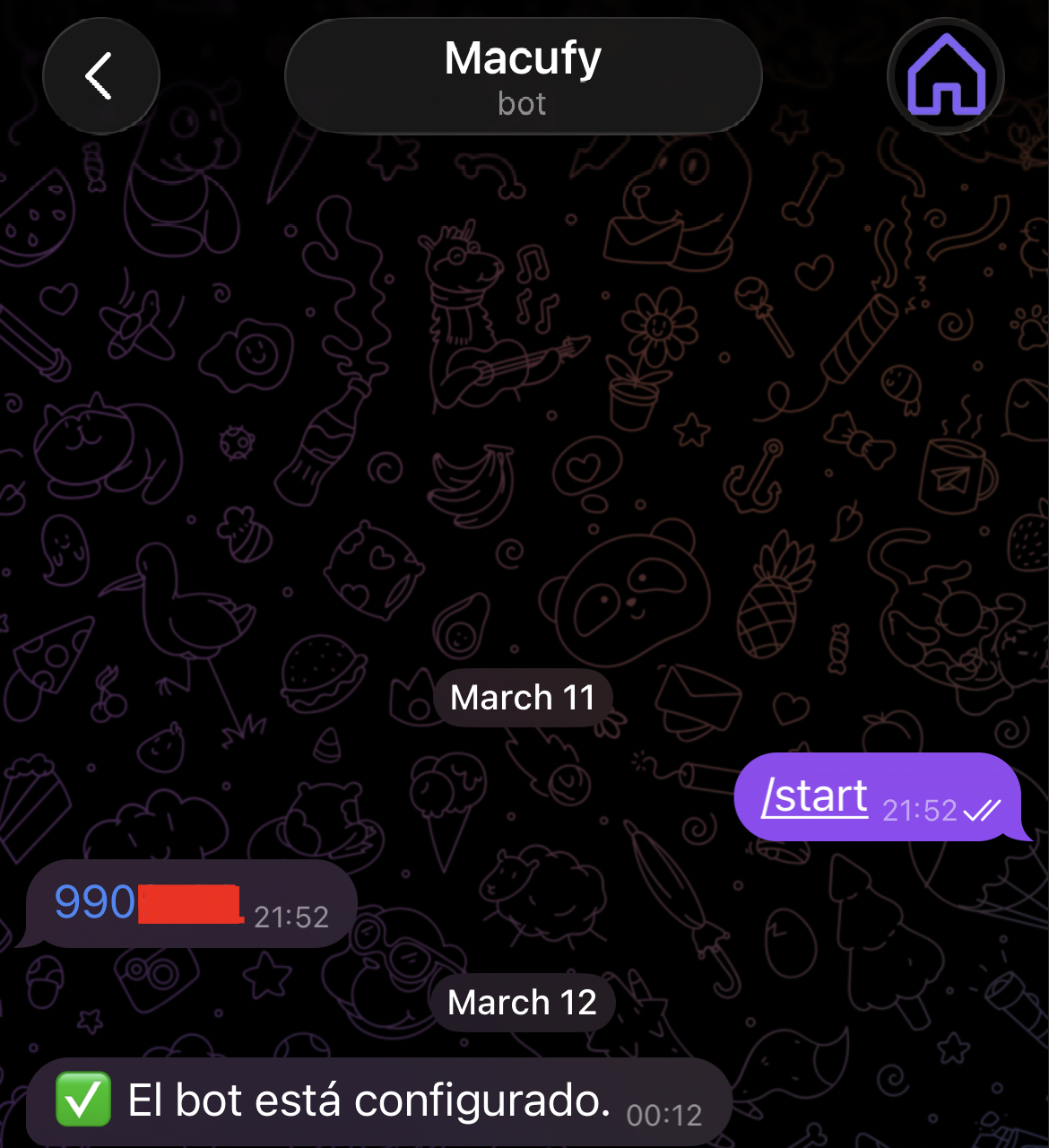
Search for the bot @macufy_bot on Telegram and start it.
If you want to receive notifications in a personal chat:
Open Telegram and search for
@macufy_botPress Start or send the command
/startThe bot will respond with your Chat ID (a positive number, for example 9903255)
If you want to receive notifications in a group:
Create a group on Telegram or open an existing one
Add @macufy_bot as a member of the group
Send the command
/startin the groupThe bot will respond with the Group Chat ID (a negative number, for example
-1001234567890)
Step 2: Configure the channel on Macufy
Access your Macufy panel
Go to Settings → Notifications
Press the button Add notification channel
In the dropdown Type, select Telegram
In the field Chat ID, enter the number given by the bot in the previous step
Press Add
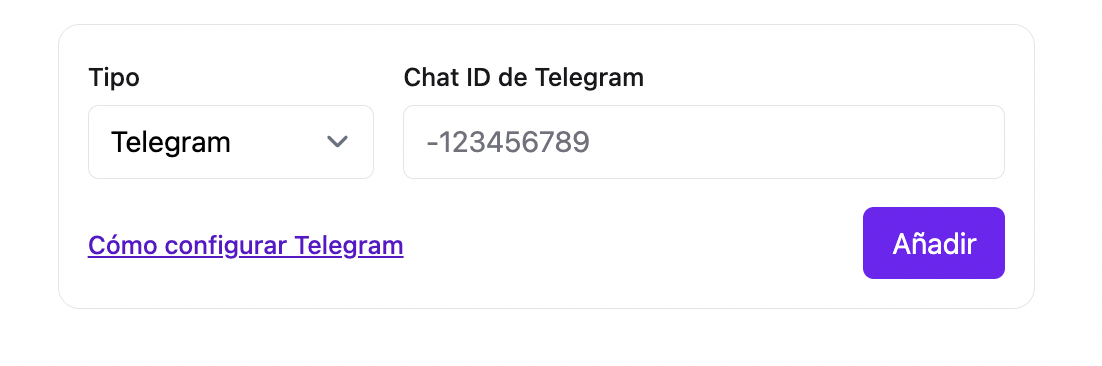
If the bot is correctly added to the chat or group, Macufy will automatically verify it and the channel will appear as active (✓) in your channel list.
Step 3: Configure your notifications
Once the channel is active, you can assign it to notifications of your properties from each property → Notifications.
Frequently Asked Questions
Why does my group Chat ID have a negative number? Telegram uses negative numbers to identify groups and channels. It's normal behaviour, enter it as is with the negative sign.
The bot does not respond to /start in the group. Make sure the bot is added as a member of the group and has permission to send messages.
The channel appears as unverified (✗ in red). It means Macufy could not confirm that the bot is in that chat. Check that the Chat ID is correct and that the bot is still a member of the group.